
App Store
The App Store installs runtimes, services and site apps in one click. Search, filter by category, and switch between Cards and List view.
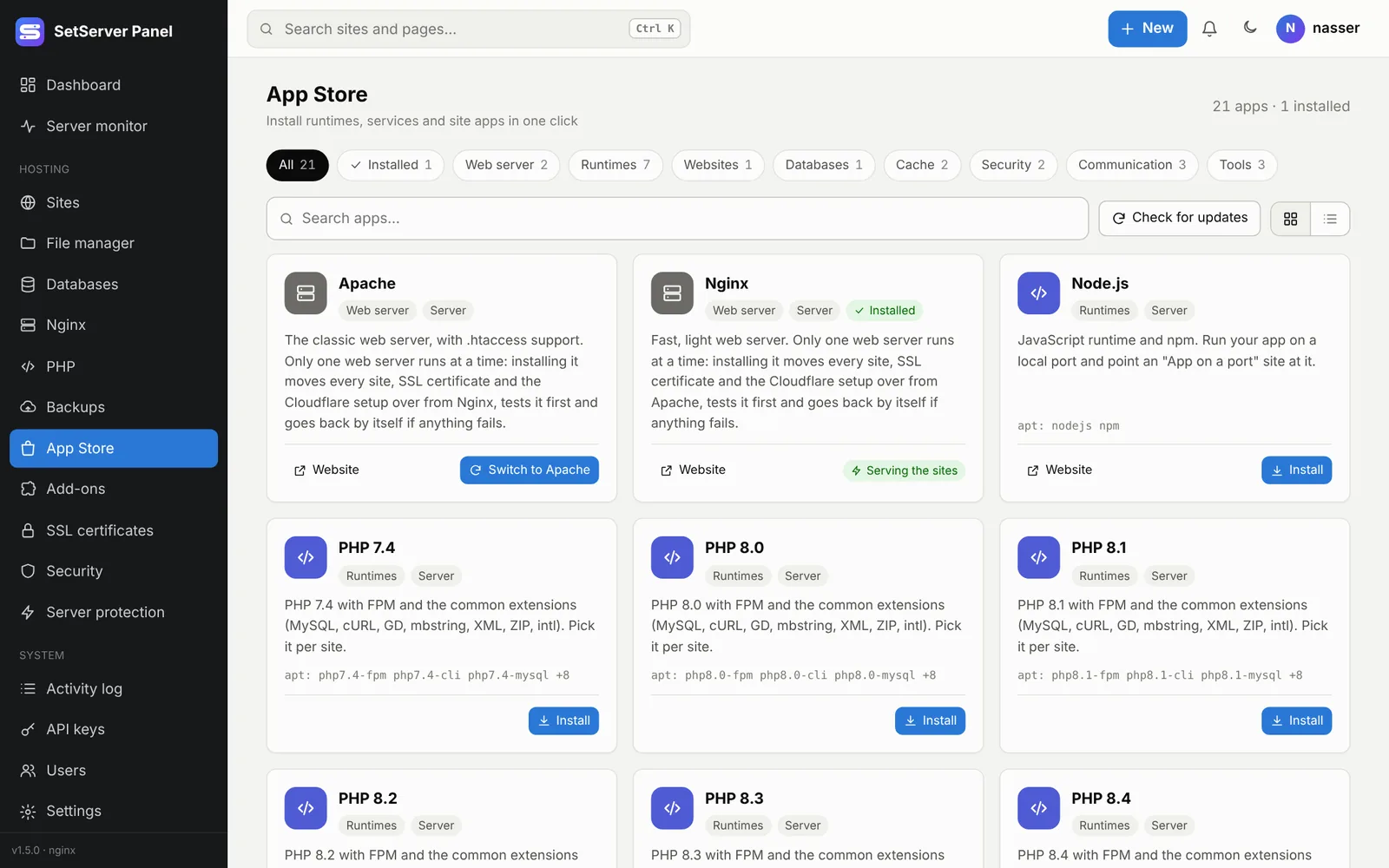
Two kinds of apps
- Server apps (installed by an admin): PHP versions 7.4 to 8.4, Node.js, Composer, Git, Redis, Memcached, Fail2ban, Apache or Nginx, ModSecurity, Email, SMTP relay, Vault, External sites, VoIP and more. They are installed with apt in the background, with a live log.
- Site apps: WordPress and Adminer, installed inside a site (its main folder or a sub-folder). WordPress gets its own database and a ready
wp-config.php; finish the setup at the address shown.
Installs keep running on the server if you leave the page. Follow them from Running tasks.
Updates
Check for updates refreshes the package lists (the server also does this every day). An app with an update shows Update available. A safe update checks and backs up the app's config first, upgrades only its own packages, keeps your config files, and if the app does not come back up, restores the old config.
Remove an app
- A server app: Remove. Its settings files stay.
- A site app: from the site page. Its files are deleted and its database is kept. An app in the site's main folder keeps its files; delete them in the file manager if you want.
Add your own app
Drop a JSON file in /etc/hostpanel/apps/ (owned by root, not writable by anyone else). No rebuild is needed:
json
{
  "id": "mytool",
  "name": "My Tool",
  "version": "1.2.0",
  "category": "tools",
  "kind": "site",
  "icon": "code",
  "description": {"en": "Short text", "ar": "وصف قصير"},
  "homepage": "https://example.org",
  "needs_php": true,
  "download": {
    "url": "https://example.org/tool-1.2.0.tar.gz",
    "sha256": "<64 hex>",
    "format": "tar.gz",
    "strip": 1
  }
}kind:server(fieldsapt,services,detect,repo) orsite(fielddownload).category:runtime,cms,database,cache,security,tools.- Downloads must be https with a
sha256orchecksum_url. Files are unpacked as the site's user, never root; paths that escape the folder are refused. There are no shell commands in the file.