
Mobile app
The SetServer Panel mobile app (Android and iPhone, English and Arabic) lets you check your servers and act quickly from your phone.
What it does
- Overview: CPU, memory, disk and load, a CPU graph of the last hour, and the services with their state. Refreshes every 30 seconds and on pull-down.
- Restart services (admins): Nginx/Apache, MariaDB, each PHP-FPM version, and email, Redis, Fail2ban and VoIP if installed.
- Restart a site (site owner or admin): rewrites the site's config and gently reloads its web server and PHP.
- Safe Mode: turn it on with one tap (with a reason); turning it off needs your password and two-step code.
- Activity: the last 100 entries of the activity log.
- Several servers, and a fingerprint / Face ID lock when the app opens and before every action.
Pair a phone
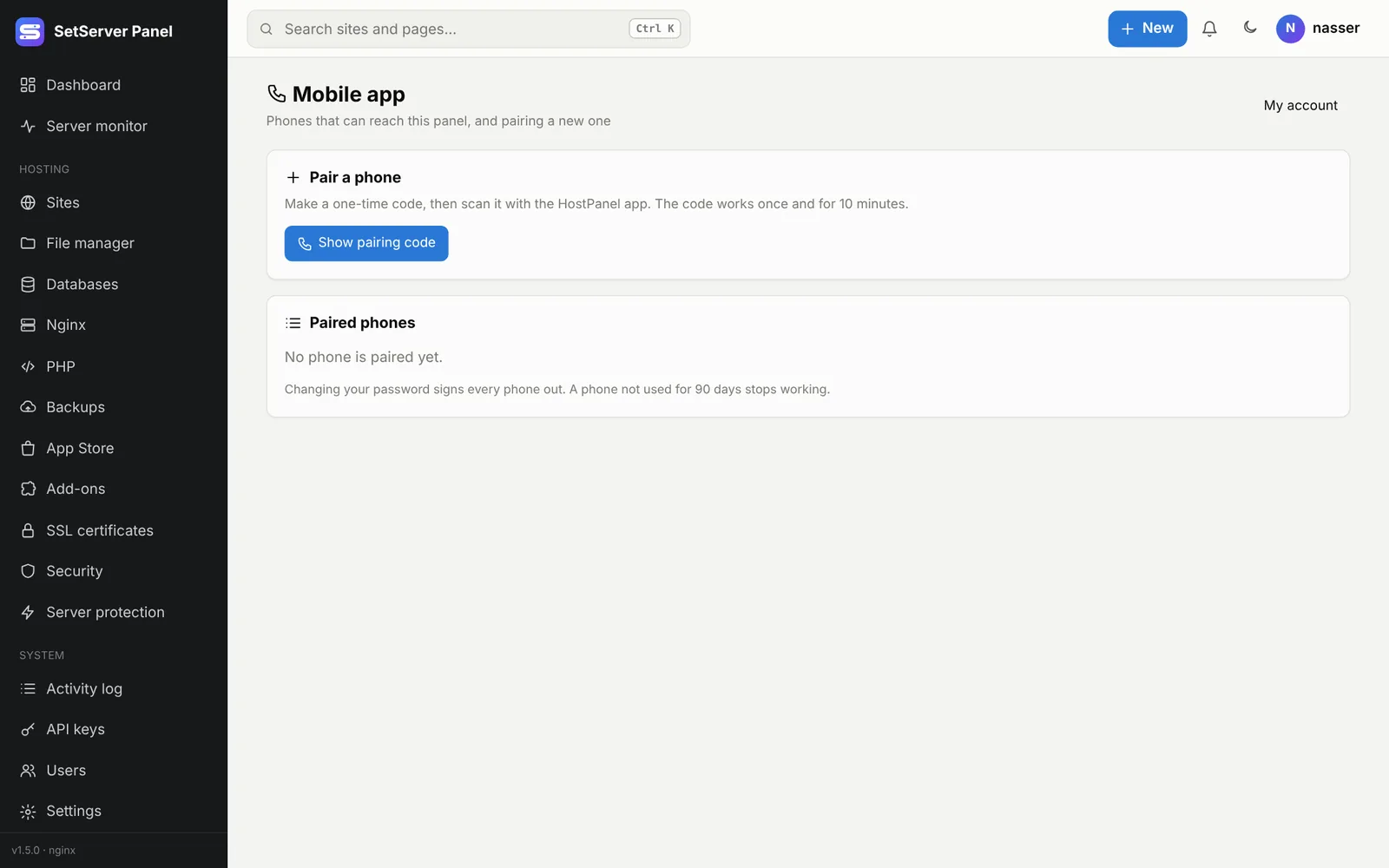
- In the panel, open My account → Phones and pairing (also in the account menu of the top bar).
- Press Show pairing code. A QR code appears; it works once, for 10 minutes.
- In the app, tap Scan code and point the camera at the QR. Or type the server address and the code by hand.
You can also sign in once with your username, password and two-step code. Your password is never stored: the phone gets its own key (hpm_…), kept in the phone's Keychain / Keystore.
Security
- With the panel's self-signed certificate, the app pins its SHA-256 fingerprint from the QR. If the certificate changes, the app refuses and asks you to pair again. A Let's Encrypt certificate is accepted normally.
- The panel's own rules apply: in Safe Mode only admins get in, and with admin addresses set, the phone must come from an allowed address.
- Every action is in the activity log with your name and the phone's name (for example
mobile:Pixel 9). - Changing your password signs every phone out. A phone not used for 90 days stops working. Up to 10 phones per user. Paired phones lists them; remove one to sign it out.