
Settings
Settings (administrators) is about the panel itself. It has these tabs:
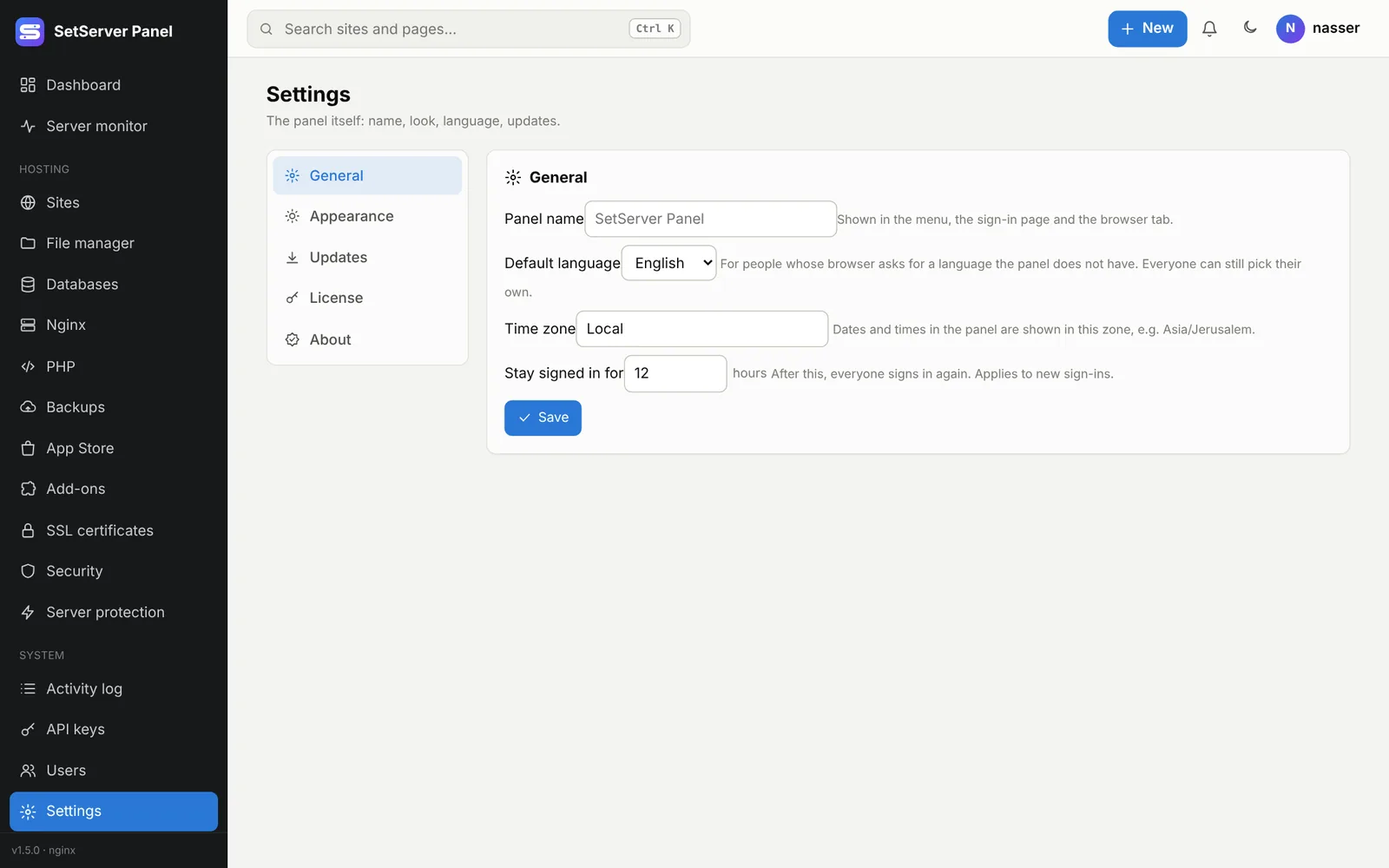
General
- Panel name: shown in the menu, the sign-in page and the browser tab (up to 40 characters).
- Default language: for people whose browser asks for a language the panel does not have. Everyone can still pick their own.
- Time zone: dates and times in the panel use it, for example
Asia/Amman. - Stay signed in for: 1 to 720 hours; after that everyone signs in again.
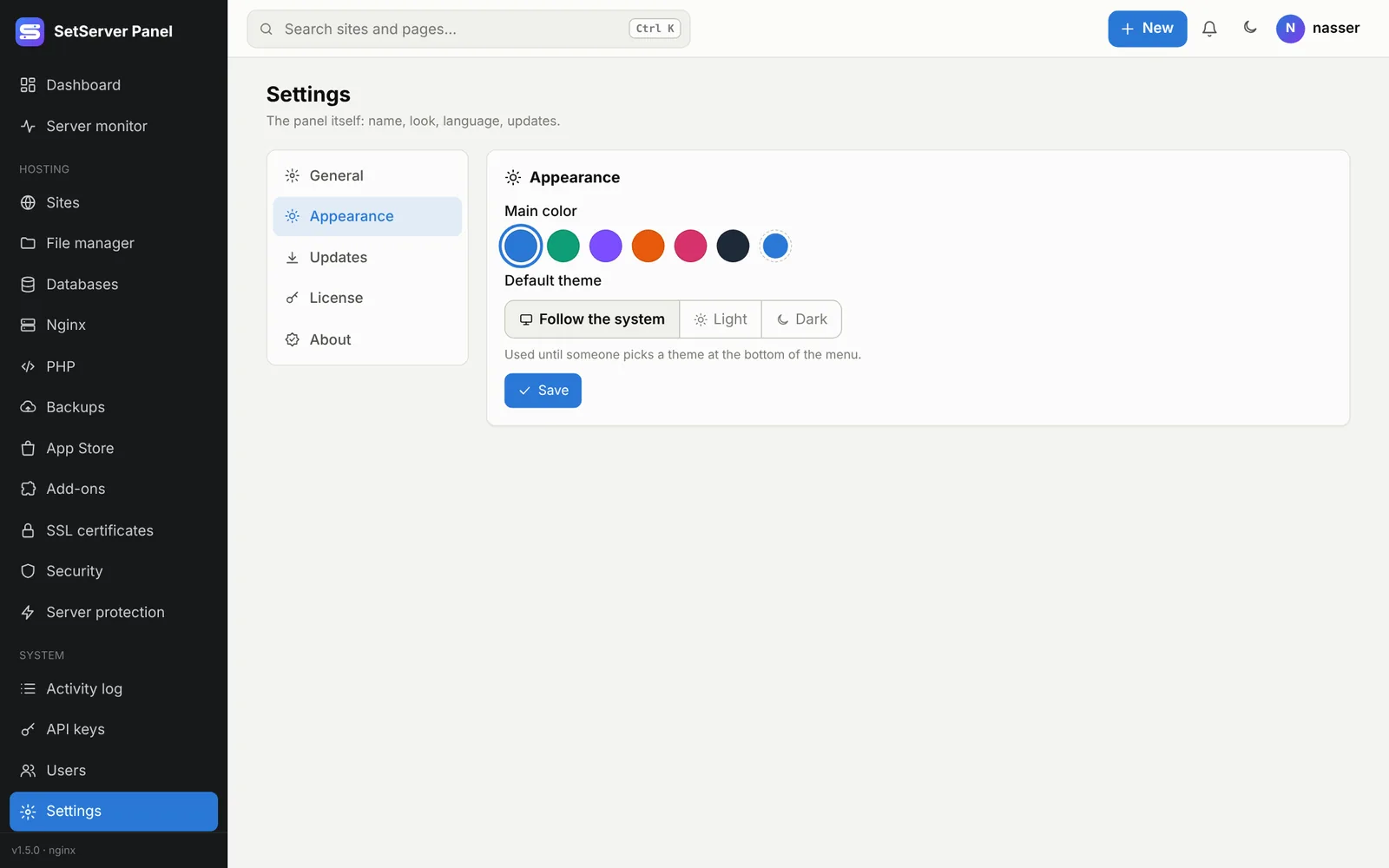
Appearance
- Main color: pick one of the colors or your own.
- Default theme: light, dark or follow the system, used until someone picks a theme themselves.
Updates
This version, the latest version, Check now, Update now and Repair. See Updates and Repair.
License
Your license status, plan, limits, customer, validity and the server fingerprint. Paste a license key and press Activate, or Remove license to go back to free mode.
- Without a license: free mode, 1 site and 1 user.
- When a license expires or is revoked nothing stops and nothing is deleted. Existing sites keep working; you cannot add new ones until it is renewed.
- Online activation renews every 7 days. If the activation server is down, the panel carries on for 30 days.
- "Other server" means the license belongs to another machine; ask for it to be moved.
- "Clock error" means the server clock went back in time: fix it with
timedatectl.
The menu only shows the license when something needs attention.
About
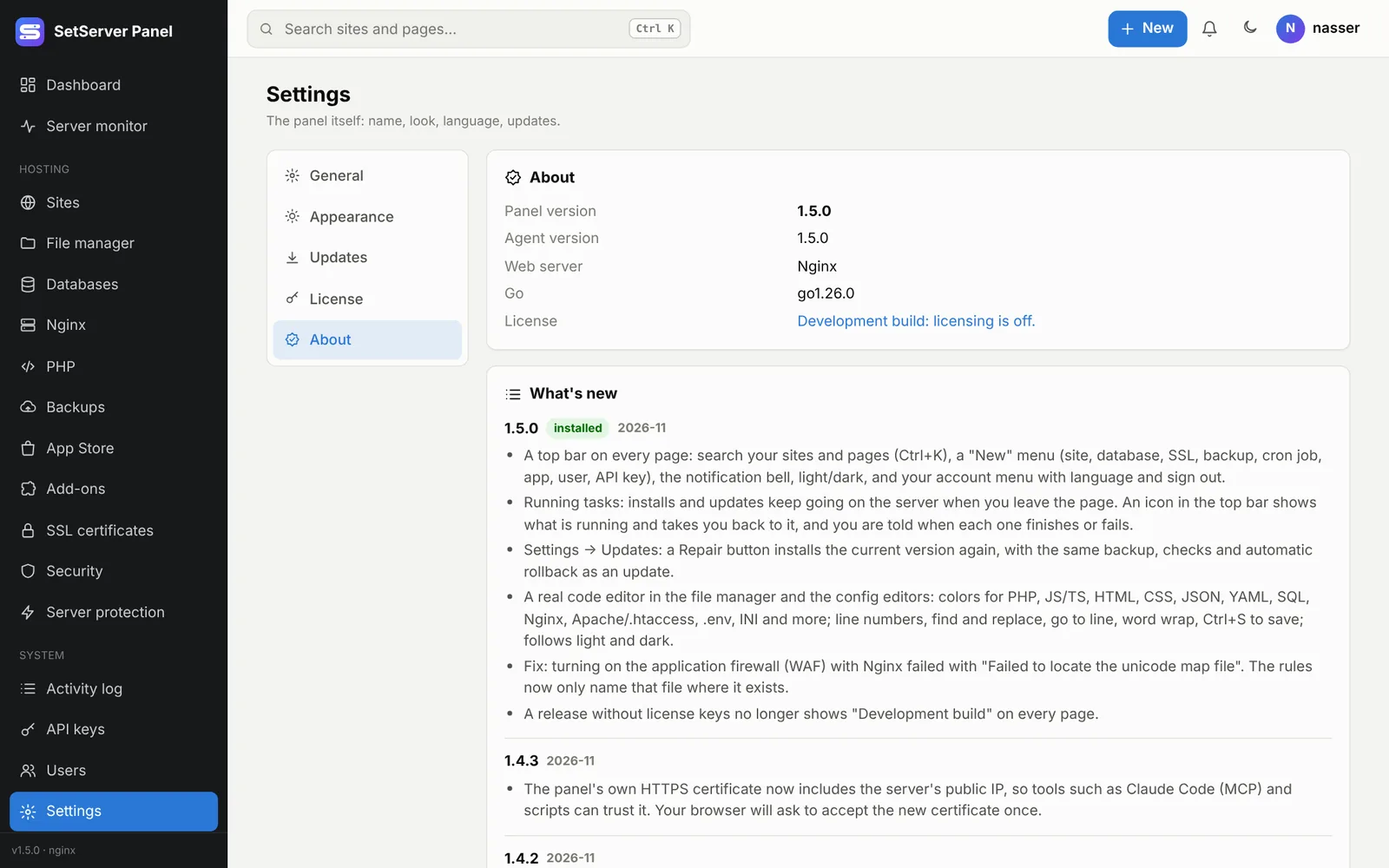
Panel and agent versions, the web server, and What's new in every version.
Help 1.5.0
Short guides for each area, keyboard shortcuts, common errors and support, in English and Arabic, with search. Each section links to the full guide on this site. The ? button in the top bar opens Help at the section for the page you are on.
Settings files
Some settings live in files on the server:
/etc/hostpanel/panel.env
| Setting | Meaning |
|---|---|
PANEL_LISTEN | Address and port, such as :8443 |
PANEL_TLS | auto (self-signed), files (PANEL_TLS_CERT/PANEL_TLS_KEY), or off behind a proxy |
PANEL_TRUST_PROXY | Trust X-Forwarded-For from a proxy in front of the panel |
PANEL_DEFAULT_LANG | en, ar or es |
PANEL_ADMIN_EMAIL | Email for Let's Encrypt |
PANEL_DB_PATH, PANEL_LANG_DIR, PANEL_LICENSE_PATH, PANEL_PHP_VERSION | Paths and the default PHP version |
/etc/hostpanel/agent.env
| Setting | Meaning |
|---|---|
HOSTAGENT_WEB_SERVER | nginx or apache |
HOSTAGENT_PANEL_PORT | The panel's port |
HOSTAGENT_SITES_ROOT | Where sites live (/srv/sites) |
HOSTAGENT_BACKUP_DIR | Local backups |
HOSTAGENT_APPS_DIR | Your own App Store apps |
HOSTAGENT_TERMINAL | 0 turns the terminal off |
After editing, run sudo systemctl restart hostpanel (or hostagent).
Languages
Languages are JSON files. To add one or change a text without a rebuild:
sudo cp fr.json /etc/hostpanel/lang/   # {"code":"fr","name":"Français","dir":"ltr","messages":{...}}
sudo systemctl reload hostpanel
A missing key falls back to English. For right-to-left languages ("dir":"rtl"), numbers and Latin words inside sentences are isolated so they stay in order.