
Updates and Repair
Update from the panel
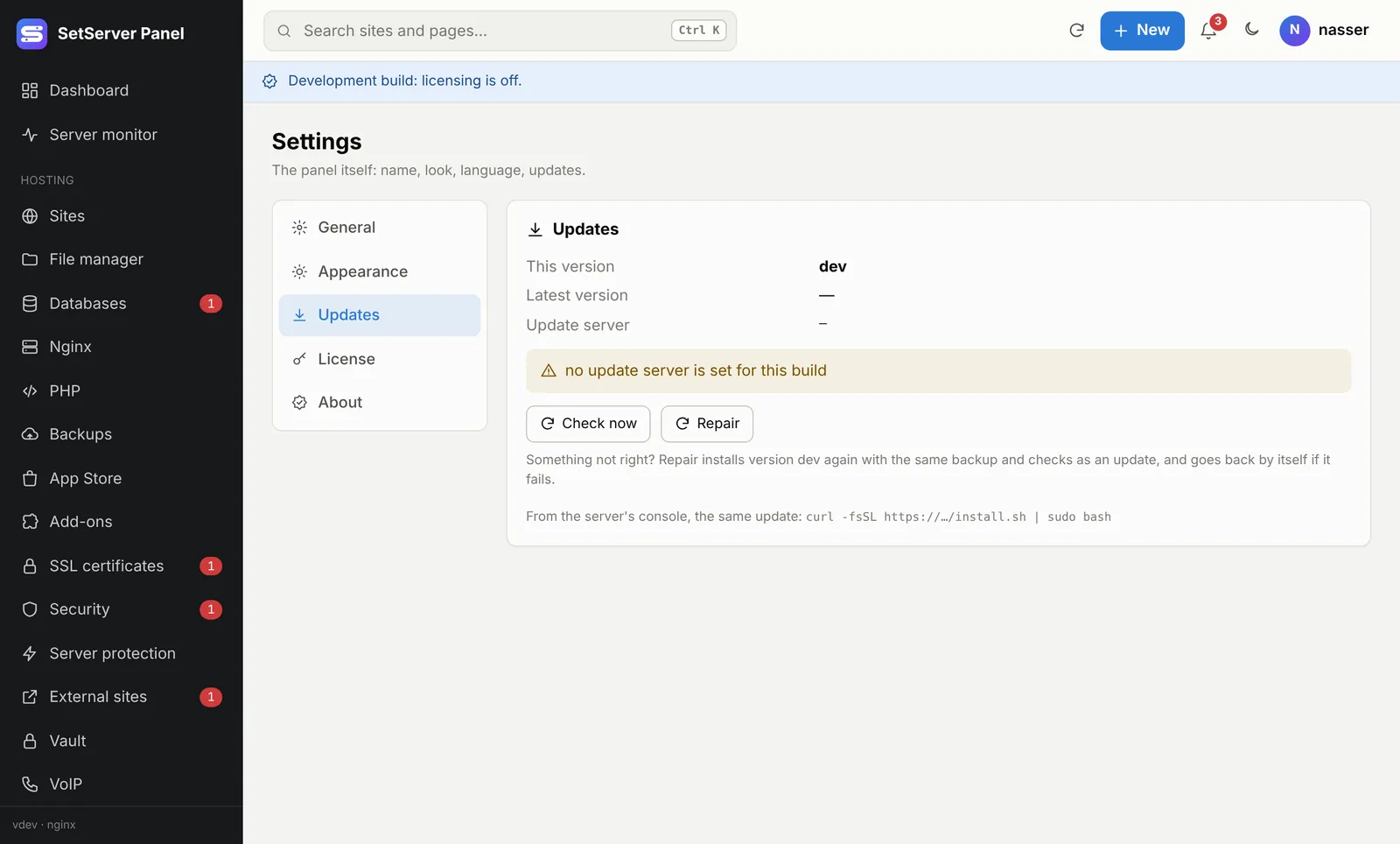
Open Settings → Updates. The panel checks the update server and shows This version and Latest version. When a new one is out, press Update now.
What happens:
- The panel downloads the new version and checks its SHA-256.
- It backs up the current version, installs the new one and checks that it answers.
- If it does not answer, the previous version comes back by itself.
Your sites keep running the whole time. The panel restarts for a few seconds and the page reloads itself when the new version is up. A new version also shows in the notification bell.
Update from the console
The install command is also the update command. Settings, sites, databases and users are kept:
curl -fsSL https://merppanel.multierp.com/install.sh | sudo bashRepair 1.5.0
If something is not right (a missing file, a service that will not start after a manual change), open Settings → Updates and press Repair. It installs the same version again with the same backup, checks and automatic rollback as an update. Files, services and settings are put back as they should be. Sites, data and your settings are kept.
What's new
1.5.0
- A top bar on every page: search (Ctrl+K), a New menu, the notification bell, light/dark and your account menu.
- Running tasks: installs and updates keep going when you leave the page.
- Repair in Settings → Updates.
- A real code editor in the file manager and the config editors.
- Extra domains for a site, with SSL covering all of them.
- Fix: turning on the WAF with Nginx failed with "Failed to locate the unicode map file".
1.4.3 and 1.4.4
- The panel's own certificate includes the server's public IP, so Claude Code (MCP) and scripts can trust it.
- WAF fix for Nginx; official releases no longer show "Development build".
1.4.2
- New name and logo: SetServer Panel. The command line also answers to
setserver. - Database server page: service, watchdog, config files, performance, live status and logs.
- Notification bell, license moved into Settings, mobile app pairing.
1.4.1
- Web server page: service, watchdog, config, performance, live load, logs and rotation.
- Each site's config file and
.htaccessfrom the site page, with automatic rollback. - React / Vue site type, DNS status next to each domain, country flags next to IPs.
- App Store search, list view and safe updates. A full Settings page.
1.4.0
- Server protection: Safe Mode, automatic bans, the traffic center and file integrity checks.
Earlier
- 1.3.0: Vault, External sites and the
merpcommand line. - 1.2.0: backups (local and S3), databases, SSL, users and roles, the API.
- 1.1.0: first release.