
Nginx / Apache
The Nginx (or Apache) page runs the web server that serves all your sites. You choose the web server at install time and can switch later.
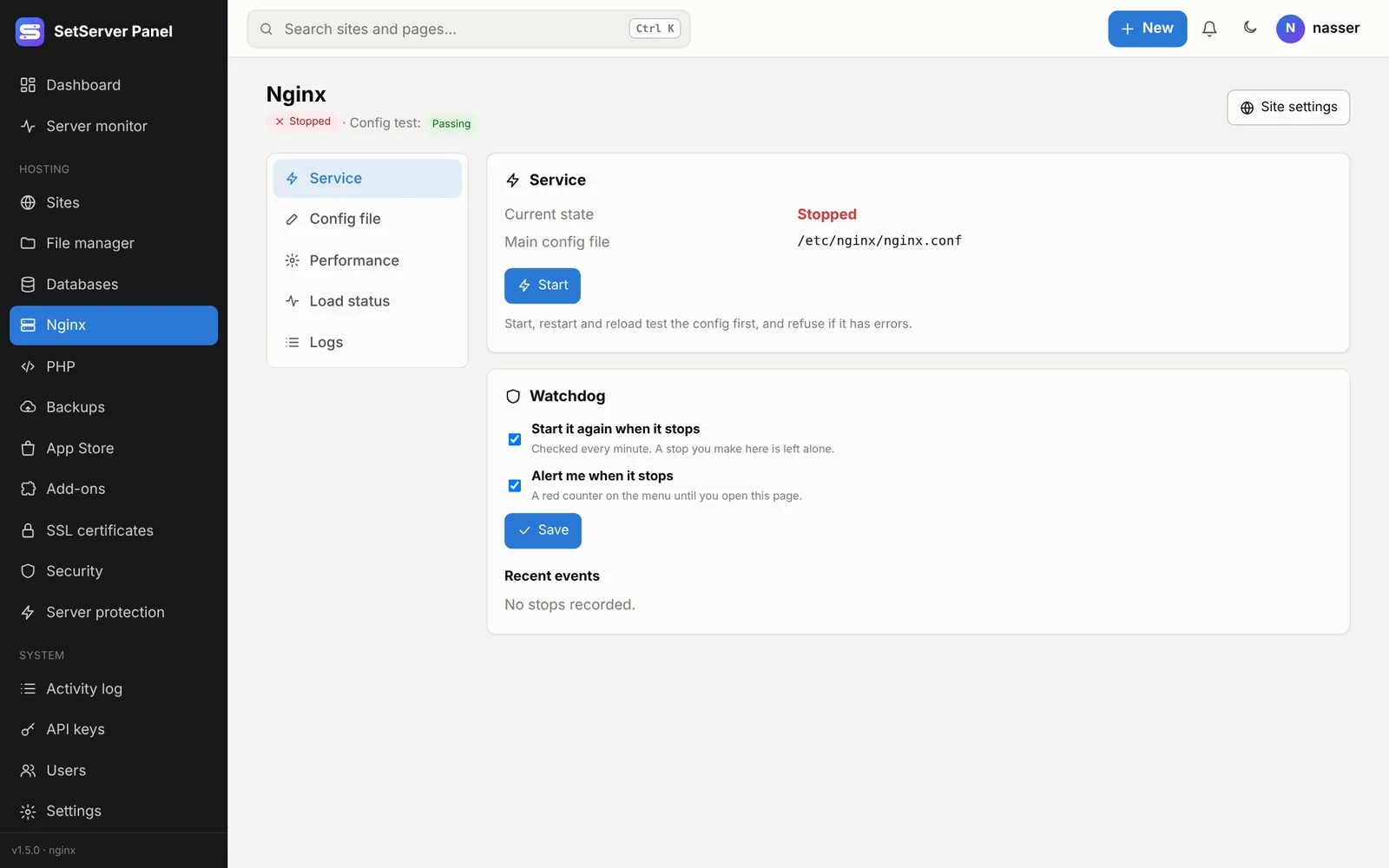
Tabs
| Tab | What it does |
|---|---|
| Service | Start, stop, restart and Reload (reads the config again without dropping visitors). Each one tests the config first and refuses if it has errors. The Watchdog checks every minute, starts the server again when it stops, and can alert you. A stop you make yourself is left alone. |
| Config file | The main config file in the code editor. Before saving, it is checked and tested (nginx -t / apachectl configtest); if anything fails, the old file stays. A copy of every version is kept. |
| Performance | Worker processes, connections, keep-alive, gzip, max upload size, timeouts. Only the fields you change are written; the config is tested before the reload. |
| Load status | Live connections, requests per second and workers, updated every 5 seconds. |
| Logs | Every log of the web server and the sites: view, filter, empty, and automatic rotation. |
Logs
Every night each log is compressed and a new one starts. Automatic rotation sets how many days to keep (1 to 365) and a size to rotate early. Empty all logs frees space at once.
A site's config and .htaccess
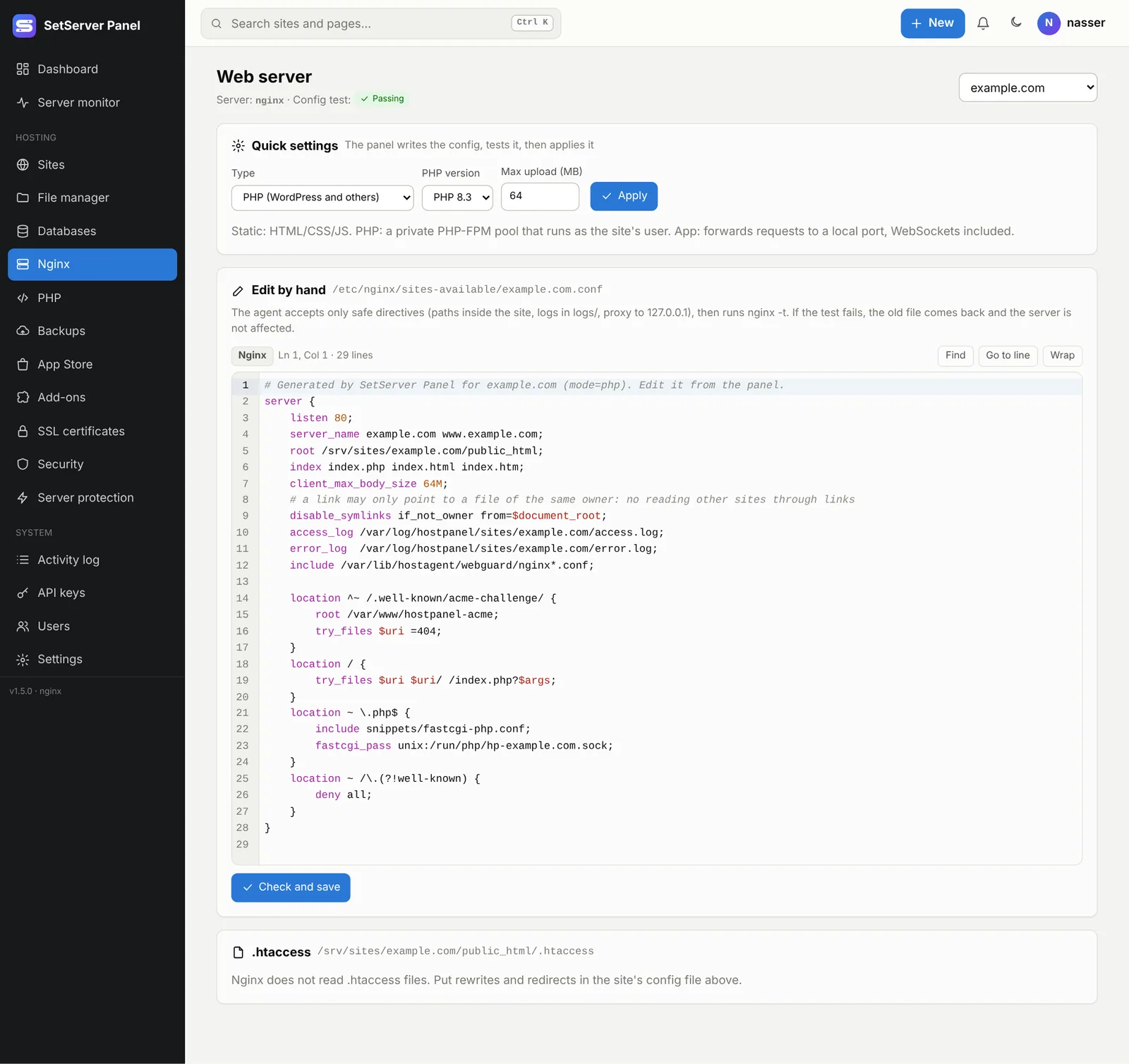
On a site's page, Config file & .htaccess opens that site's web server settings:
- Quick settings: type, PHP version, max upload. The panel writes the config, tests it, then applies it.
- Edit by hand (administrators): the site's own Nginx
serverblock or ApacheVirtualHost. Only safe directives are accepted (paths inside the site, logs inlogs/, proxy to127.0.0.1), then the config is tested. If the test fails, the old file comes back. - .htaccess (Apache only): saved, then the site is opened once; if it answers with a server error, the previous file comes back by itself. Nginx does not read
.htaccess: put rewrites in the site's config instead.
WARNING
A site whose config was edited by hand is marked Edited by hand. Applying quick settings afterwards replaces those edits.
Switch between Nginx and Apache
Install the other web server from the App Store, then press Switch to Apache (or Nginx). Every site is moved over and tested first. Sites are down for a second or two during the swap, and if the new server does not start, the old one comes back by itself.