
Server protection
Server protection (administrators) guards the whole server. It has three tabs: Protection, Traffic and Files.
Before you change firewall rules
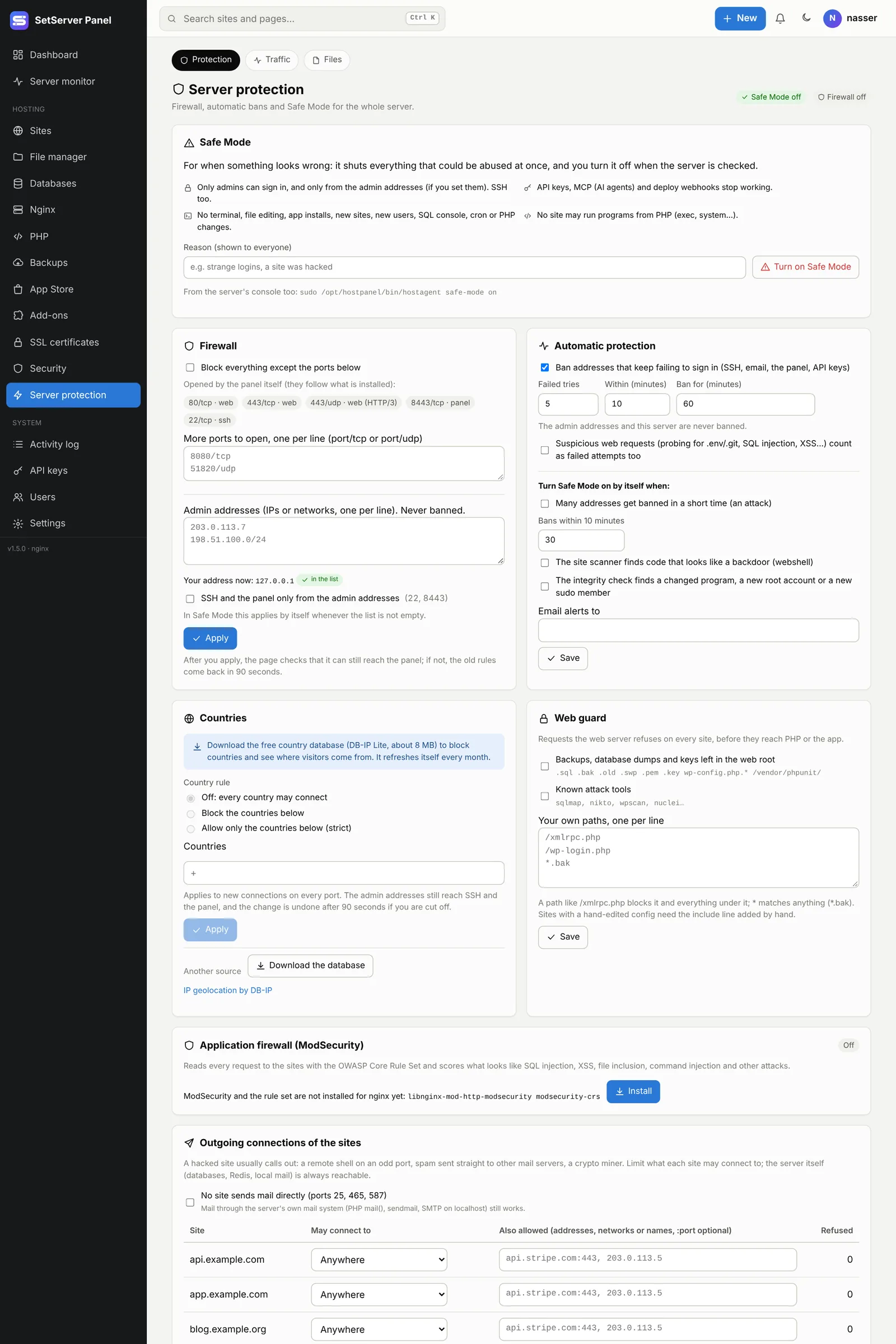
Add your own IP to the Admin addresses first (Add mine does it). Any firewall change that would cut you off is undone by itself after 90 seconds: the page checks that it can still reach the panel and keeps the rules only if it can. Keeping a second SSH session open is still a good idea.
Safe Mode
For when something looks wrong (strange sign-ins, a hacked site). Turn on Safe Mode with a reason, and at once:
- only admins can sign in, and only from the admin addresses if you set them (SSH too);
- API keys, MCP (AI agents) and deploy webhooks stop working;
- no terminal, file editing, app installs, new sites, new users, SQL console, cron or PHP changes;
- no site may run programs from PHP.
End Safe Mode needs your password (and two-step code). Sites get their own settings back. Safe Mode can also turn on by itself (see Automatic protection) and from the mobile app. From the server's console:
sudo /opt/hostpanel/bin/hostagent safe-mode on
sudo /opt/hostpanel/bin/hostagent safe-mode off
Admin addresses
IPs or networks, one per line. They are never banned, and you can lock SSH and the panel only from the admin addresses. In Safe Mode this lock applies by itself whenever the list is not empty.
Firewall
Block everything except the ports below. The panel opens the ports of what is installed by itself (SSH, web, the panel, mail…). Add more ports, one per line, as 8080/tcp or 40000/udp. The firewall uses nftables.
Automatic protection
- Ban addresses that keep failing to sign in (SSH, email, the panel, API keys): set the failed tries, the time window, and how long to ban.
- Suspicious web requests (probing for
.env/.git, SQL injection, XSS…) can count as failed tries too. - Turn Safe Mode on by itself when many addresses get banned in a short time (an attack), when the integrity check finds a changed program or a new root account, or when the site scanner finds a webshell.
- Email alerts to an address of your choice.
Banned addresses lists who is banned and until when; Lift ends a ban. You can also ban an address by hand.
Countries
Block countries, or allow only some (strict). First press Download the database (the free DB-IP Lite country database, about 8 MB, refreshed every month). The rule applies to new connections on every port; admin addresses still reach SSH and the panel. Country flags then appear next to IP addresses all over the panel.
Web guard
Requests the web server refuses on every site before they reach PHP:
- backups, database dumps and keys left in the web root;
- known attack tools;
- your own paths, one per line:
/xmlrpc.phpblocks it and everything under it,*.bakmatches any name.
Application firewall (WAF)
ModSecurity with the OWASP Core Rule Set reads every request and scores what looks like SQL injection, XSS, file inclusion, command injection and other attacks.
- Press Install (once).
- Start with Watch only for a few days: nothing is blocked; matches show in the Traffic tab.
- If a rule hits normal use of a site, turn that rule off (from Traffic, or list its number under Rules turned off), or add the site to Sites the rules skip.
- Switch to Block: requests over the score get a 403.
Strictness 1 is right for most servers; 3 and 4 need tuning.
Outgoing connections of the sites
A hacked site usually calls out: a remote shell, spam, a crypto miner. Limit what sites may connect to: Anywhere, Web only (HTTP/HTTPS), or Only the list. No site sends mail directly blocks ports 25, 465 and 587 for sites (mail through the server's own mail system still works). The server itself (databases, Redis, localhost) is not affected.
Traffic center
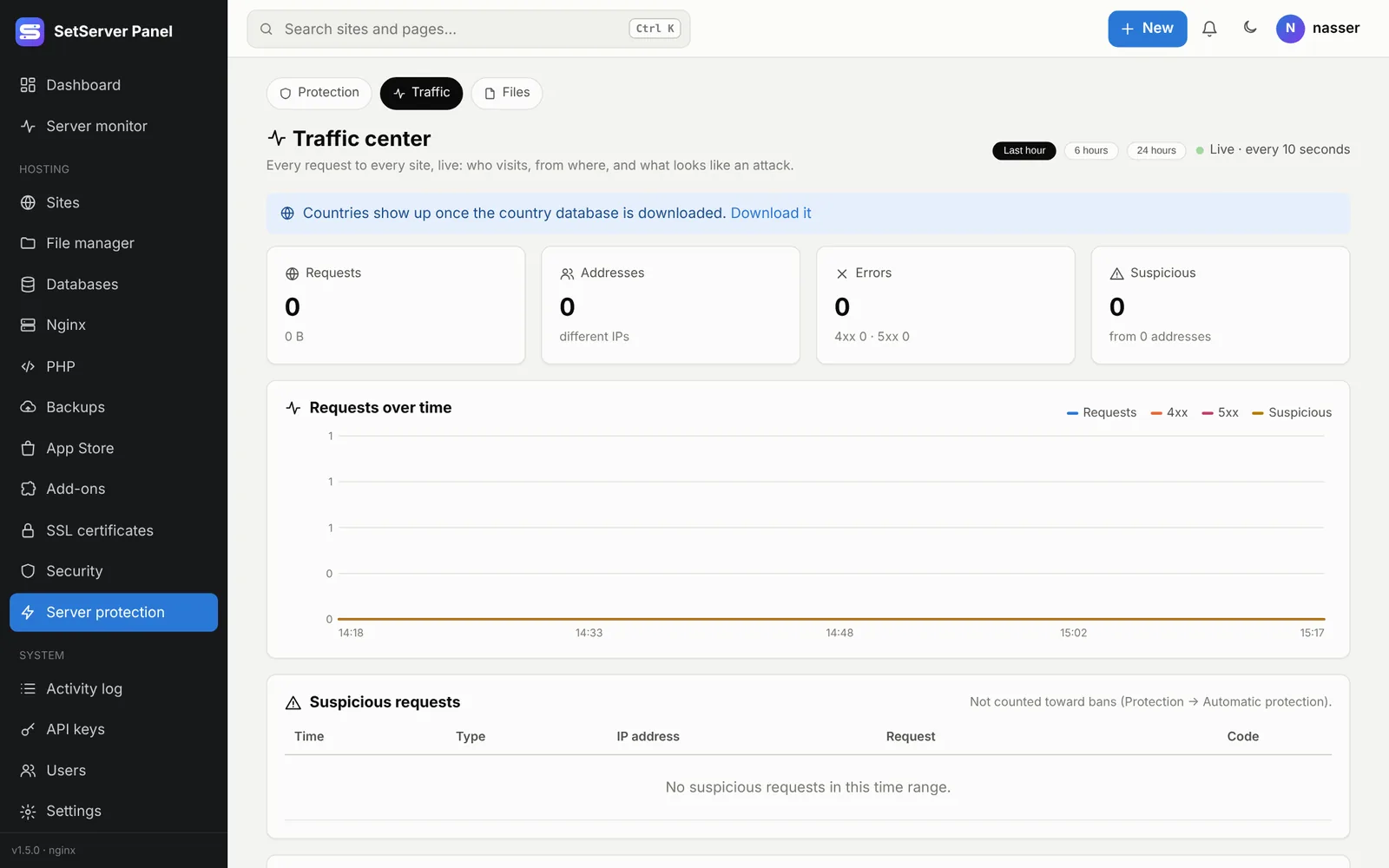
The Traffic tab shows every request to every site, live: requests over time, busiest addresses and countries, most requested and most "not found" paths, suspicious requests by type (probing, SQL injection, XSS, path traversal, attack tools), and WAF matches. Ban or block an address straight from the list. Data comes from the sites' access logs and is kept in memory for 24 hours.
Server file integrity
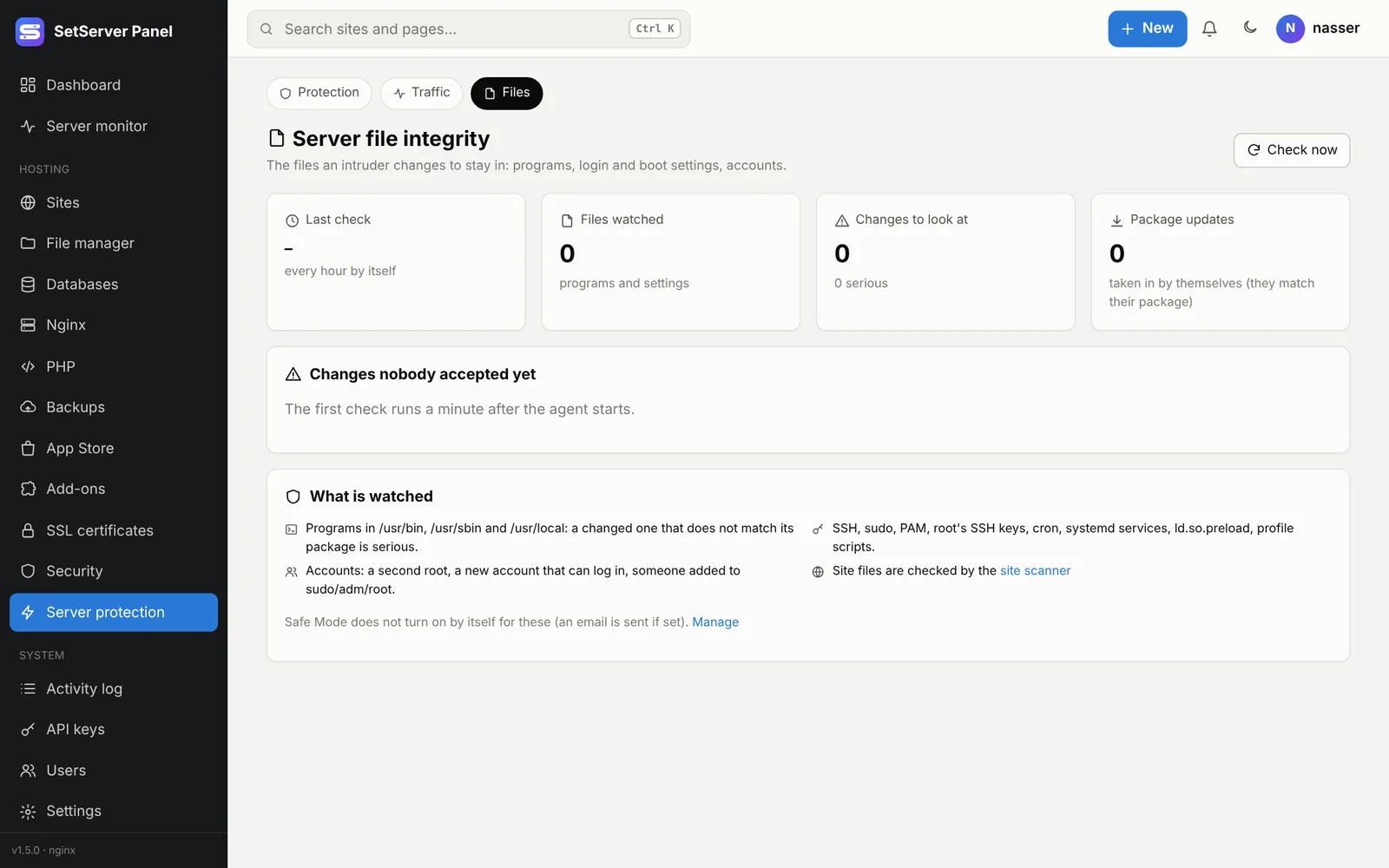
The Files tab watches the files an intruder changes to stay in: programs in /usr/bin, /usr/sbin and /usr/local, SSH, sudo, PAM, cron, systemd services, ld.so.preload, profile scripts, and accounts (a second root, a new account that can log in, a new sudo member). It checks every hour. Package updates that match their package are accepted by themselves. Accept a change only when you know who made it; otherwise turn on Safe Mode and look closer.
Locked out?
From your provider's console (VNC / serial):
sudo /opt/hostpanel/bin/hostagent firewall-reset
sudo /opt/hostpanel/bin/hostagent safe-mode off